


Vietnam eSIM and 5G Guide for Travelers
By VietnamVisaEasy Visa Team · 2026-11-24
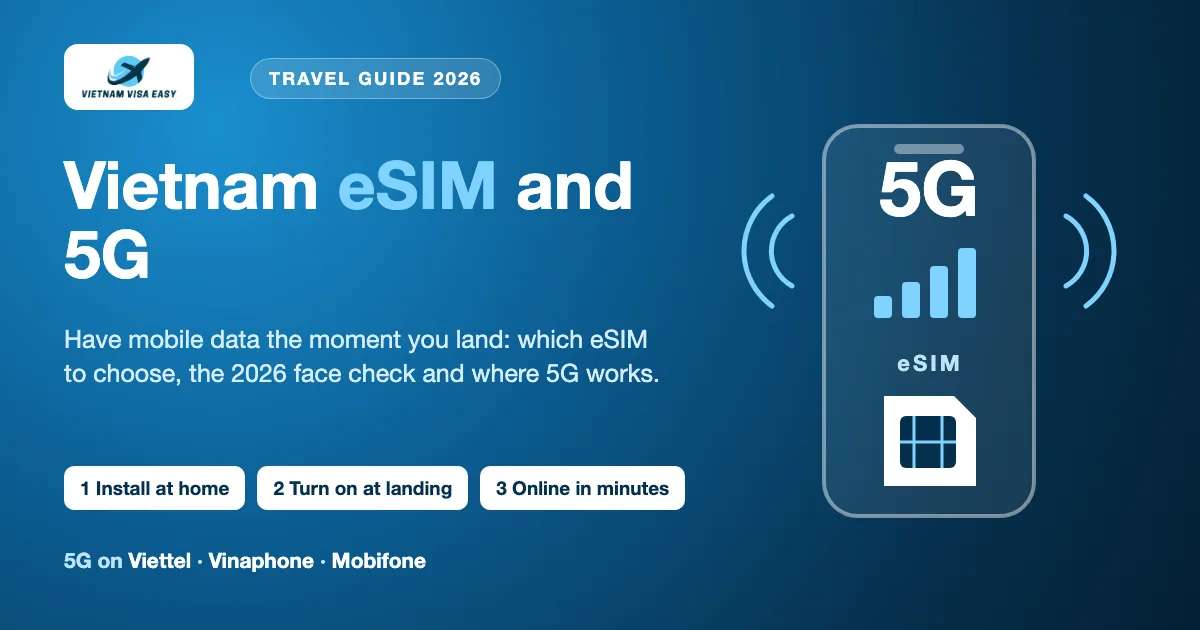
Getting online the moment you land in Vietnam is easier than it used to be. With an eSIM there is no SIM counter, no paper clip and no queue after immigration: your data plan is already on the phone when the plane touches down. This guide explains which kind of eSIM suits your trip, the registration rules that changed in 2026, where 5G works and how to set everything up before you leave. For physical SIM cards and prices at the counters, see our Vietnam SIM card guide for tourists.
What is an eSIM, and does your phone have one?
A digital SIM built into the phone. Instead of inserting a plastic card, you scan a QR code or tap a link and the plan installs itself. Your home SIM can stay in place, so you keep your number for calls and bank codes.
Check 2 things before you buy:
- The phone supports eSIM. Most iPhones from the XS onward do, as do many recent Samsung Galaxy, Google Pixel and other flagship phones. On iPhone, open Settings > Mobile Service (or Cellular) and look for "Add eSIM". On Android, look under SIM manager or Network settings.
- The phone is unlocked. A phone locked to your home carrier will refuse another network's eSIM. Ask your carrier before you travel if you are not sure.
Travel eSIM or local Vietnamese eSIM?
For most short trips, a travel eSIM is simpler.
| Travel eSIM (international provider) | Local eSIM (Viettel, Vinaphone, Mobifone) | |
|---|---|---|
| Where you buy it | Online or in an app, before you fly | Online with the network or at a shop in Vietnam |
| Registration | Usually none, because it runs as roaming | Original passport and a face check |
| Vietnamese phone number | Usually data only, no local number | Yes |
| Data on landing | Yes, if installed at home | Yes, if set up before you fly |
| Best for | Short trips, tourists, business visitors | Longer stays, ride-hailing and food apps that text a local code |
A Vietnamese number helps if you stay several weeks, book many local services or want delivery apps to call you. For a 1–2 week holiday, data alone covers maps, Grab and messaging apps.
What changed for local SIMs and eSIMs in 2026?
A face check is now part of registration. Under Circular 08/2026/TT-BKHCN, in force since 15 April 2026, Vietnamese networks must confirm each subscriber's identity, including a facial image. For foreigners this means:
- you register a local number with your original passport, not a copy;
- the network takes a live photo of your face, in a shop or in its app, and matches it to your passport details;
- if you later move a physical SIM into a different phone, the network may ask you to verify your face again before calls and texts work. This rule applies from 15 June 2026.
Networks apply these rules in slightly different ways, so follow the steps the seller shows you. Travel eSIMs from international providers usually connect as roaming and are not registered in Vietnam, which is one reason many visitors choose them.
Is there 5G in Vietnam?
Yes, in all major cities and along most main routes. All three national networks, Viettel, Vinaphone (VNPT) and Mobifone, sell 5G. In 2026 the Ministry of Science and Technology reported more than 40,000 5G base stations and coverage for about 92% of the population. Viettel has the largest network; Mobifone's 5G is concentrated in cities.
| Where you are | What to expect |
|---|---|
| Hanoi, Ho Chi Minh City, Da Nang | 5G in most districts and at the airports |
| Hoi An, Nha Trang, Hue and other tourist towns | 5G in the centre, 4G around it |
| Highways and train lines | Mostly 4G, with gaps in the countryside |
| Ha Giang, Sa Pa valleys, Ha Long Bay caves, small islands | Weak or no signal in places |
Indoors, in basements and in some older buildings, the phone may drop to 4G. That is normal, and 4G is fast enough for maps, video calls and streaming.
How do you get 5G on your phone?
You need 3 things:
- A 5G phone. iPhone 12 and later, and most Android flagships from 2021 onward.
- A plan that includes 5G. Some travel eSIMs connect only to 4G, or to one network. Check the plan page for "5G" and the network name before you buy.
- 5G switched on. On iPhone: Settings > Mobile Service > your eSIM > Voice & Data > 5G Auto. On Android: Network mode > 5G/4G/3G/2G (auto).
If you only use maps and messages, 4G is plenty. 5G matters most for large uploads, video calls on the move or sharing a hotspot with a laptop.
How do you set up an eSIM before your flight?
Install at home, switch on at landing.
- Buy the plan 1–3 days before you fly. Many plans start counting days at first connection, not at purchase; check this on the plan page.
- Install it at home on Wi-Fi by scanning the QR code or tapping the install link. Give it a clear label, such as "Vietnam".
- Set the eSIM as your mobile data line and keep your home SIM for calls and texts. Turn data roaming on for the eSIM and off for your home SIM, so your home carrier does not charge you.
- Save the QR code or a screenshot of the activation details in case you need to reinstall.
- After landing, turn off flight mode. The phone should find a network within a minute or two.
Do not delete the eSIM from the phone until the trip is over. Many eSIMs cannot be installed a second time.
What if the eSIM does not connect after landing?
Work through these checks in order:
- Restart the phone, or switch flight mode on and off.
- Make sure data roaming is on for the eSIM line.
- Check that the eSIM is selected for mobile data.
- Choose a network manually under Network selection if the automatic search fails.
- Use the free airport Wi-Fi to contact the eSIM seller's support.
If nothing works, a physical SIM from a counter in the arrival hall is the backup. Our guide to money exchange and SIM cards at Vietnam's airports shows where the counters are.
How much data do you need?
About 1–2 GB a day for normal travel. Maps, Grab, messaging and photos use far less than video. Plan for more if you stream, make long video calls or share a hotspot. Our SIM card guide breaks data use down by type of trip.
Is eSIM data enough to enter Vietnam?
It helps, but print your papers too. Keep your e-visa PDF on the phone and a paper copy in your bag, because the airport or the phone battery can let you down. If you do not have your visa yet, start with our Vietnam visa requirements and the application form. Arrival steps at each airport are in our guides to Noi Bai, Tan Son Nhat and Da Nang.
Frequently asked questions
Does my phone support eSIM?
Most iPhones from the XS onward and many recent Samsung Galaxy and Google Pixel phones do. The phone must also be carrier-unlocked. On iPhone, look for "Add eSIM" under Settings > Mobile Service; on Android, look under SIM manager or Network settings.
Is there 5G in Vietnam?
Yes. Viettel, Vinaphone and Mobifone all sell 5G. In 2026 the Ministry of Science and Technology reported 5G coverage for about 92% of the population, strongest in cities.
Do I need a passport to get a Vietnam eSIM?
For a local Vietnamese number, yes, together with a face check. Travel eSIMs sold by international providers usually run on roaming and do not ask for Vietnamese registration.
When should I install the eSIM?
At home, on Wi-Fi, a day or two before you fly. Turn it on when the plane lands. Installing needs internet, which you may not have at the airport.
Can I keep my home number on WhatsApp?
Yes. WhatsApp stays linked to your home number even when the eSIM carries your data, so your contacts can reach you as usual.
Need your visa today?
Urgent options from 30–60 minutes, also on weekends & holidays.
Comments (0)